Back to selected work
// R&D Sandbox · Vibe Development

GolfTracker.

A personal R&D Sandbox experiment to investigate XCode, SwiftUI and Vibe code iteration in an iOS companion based app deployment.
GolfTracker main image

01 / Overview

iOS Companion app

Vibe SwiftUI iOS iPhone Apple Watch OS Companion based app

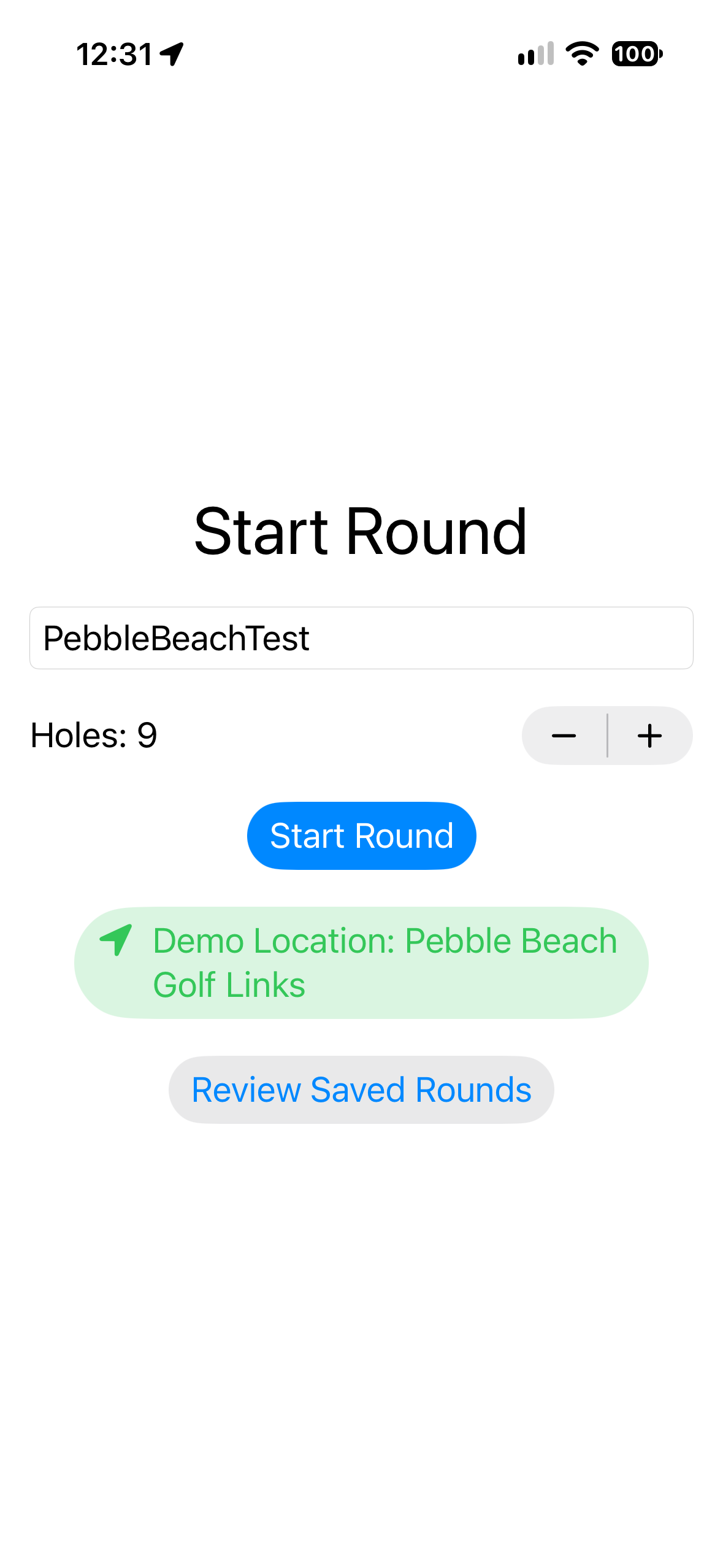
GolfTracker is a personal project for iPhone & Watch app for golf shot tracking.

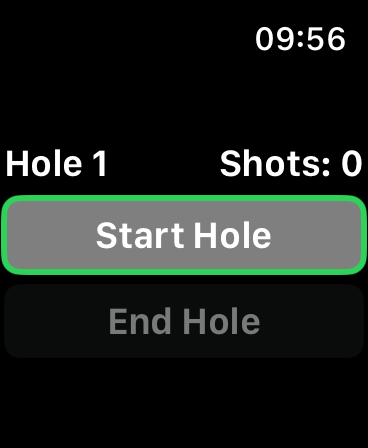
You start a round on the iPhone with a course name and number of holes, then use your Apple Watch to begin each hole, choose par and club, and then record the shots.

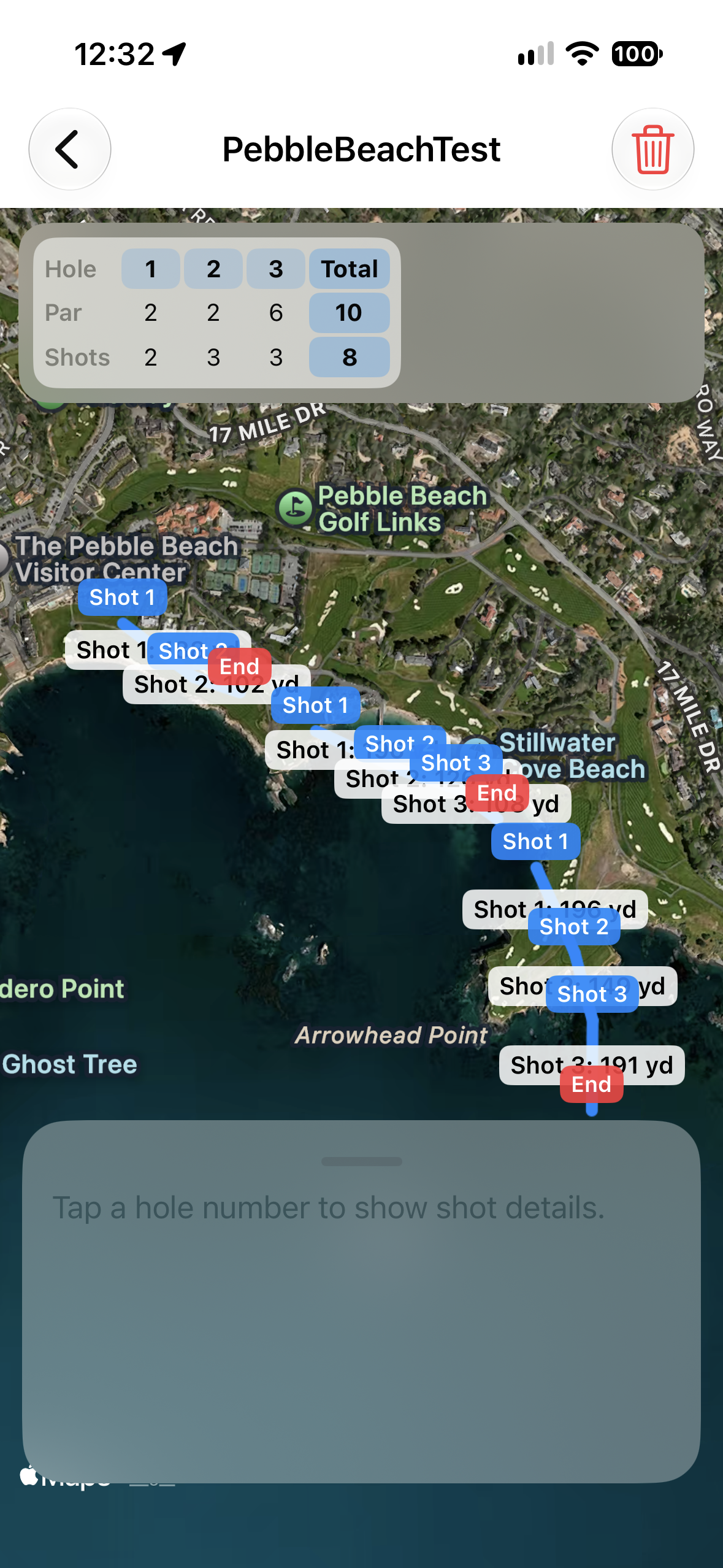
The phone tracks GPS positions, draws each shot on a satellite/hybrid map, calculates yardage, and keeps a hole-by-hole scorecard which can be reviewed at a later time.

02 / The challenge

Simplified golf shot tracking.

Create an easy to use, companion based app, that allows for quick recording of golf shot location and yardage for future club selection reference via the watch.

The technical challenge was to learn the full stack for creation of the app. From Vibe SwiftUI code iterations, to deployment to device through XCode.

Design requirements
  • Track the distance of each golf shot based on a selected club.
  • Support manual and automatic (via swing and audio) shot recording.
  • Record the GPS location of each shot for future reference.
  • Scalable for different number of golfing rounds.
  • Stretch goal - Automated shot recording, no watch interation once course is set. Potentially via audio 'crack' recording and impact acceleration via Watch haptics. (Still under development)

03 / Technical approach

From idea to prototype.

Step 01

Create

Create an initial GPS recording app when commanded via the watch along with general flow.

Step 02

Iterate

Implement a general UX flow of a golf game, then iterate ideas and changes to the app via Vibe coding.

Step 03

Review

Test out the real world, then rinse and repeat steps 2 & 3.

04 / Breakdown

The current solution.

Placeholder for base material and mask breakdown
01 - iPhone Entry

Setup a file name for saving the current golfing session. (Added demo location button to protect personal location privacy)

Placeholder for base material and mask breakdown
02 - Watch start

Once at a way point, you can start the first shot on the current hole.

Placeholder for base material and mask breakdown
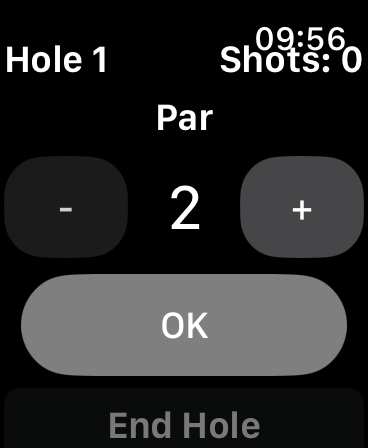
03 - Watch hole setup

Set the par limit of the current hole.

Placeholder for base material and mask breakdown
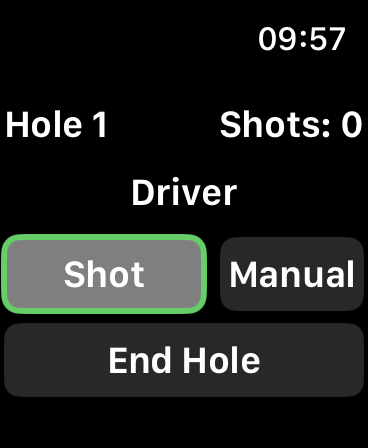
04 - Watch UI

Manually add a shot, or end the current hole. The watch dial changes the selected club.

Placeholder for base material and mask breakdown
05 - Recorded game

Tracked shots and scorecard.

Placeholder for base material and mask breakdown
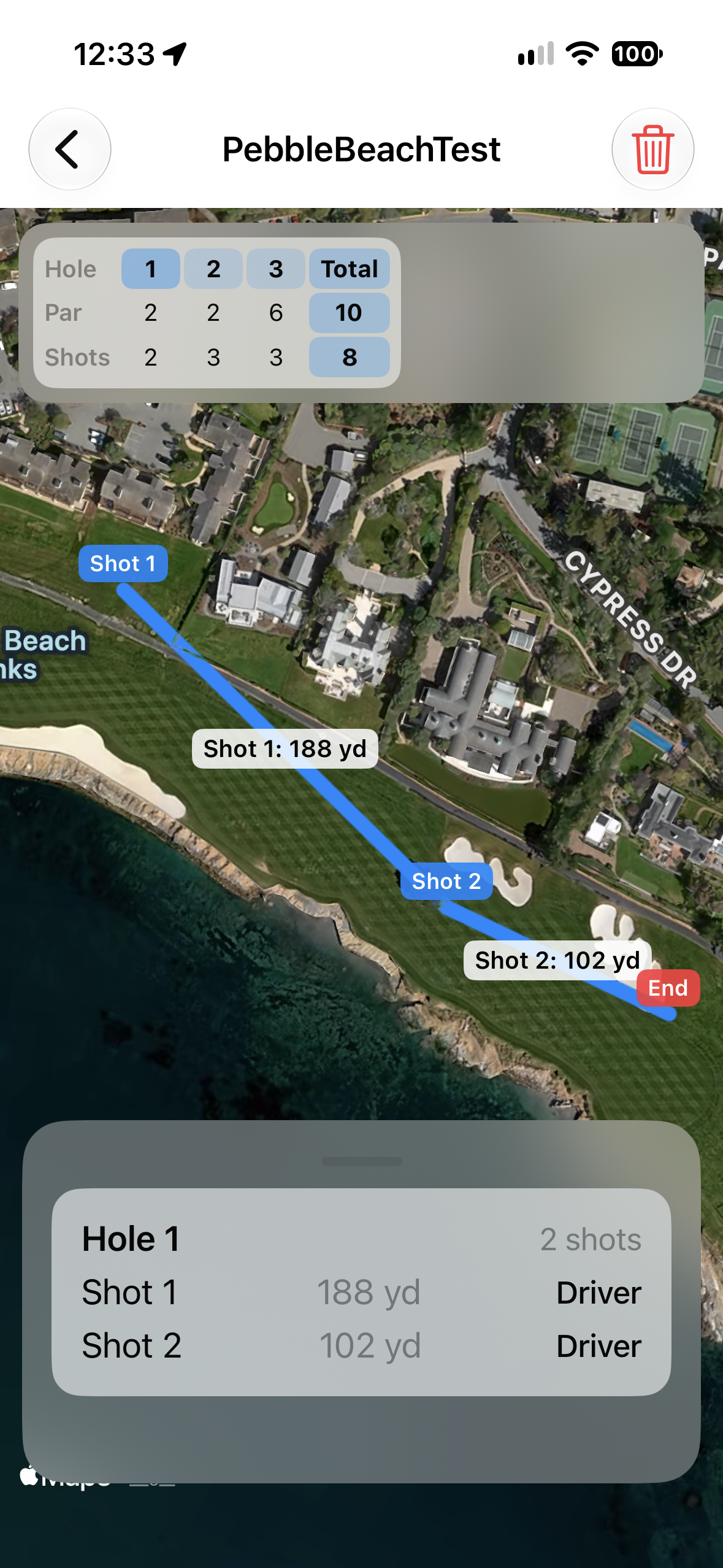
06 - Close up review

Selected hole review. Outlines shot distance and club used.

05 / Results

Apple iPhone & Watch deployment.

What I learned

  • iOS SwiftUI and Vibe coding iteration, along with an aforementioned Ollama AI setup on MacMini.
  • Deployment of a companion app to iPhone and Watch via XCode.
  • General SwiftUI code, whose api is reminiscent of Adobe ActionScript.
  • Vibe prototyping was able top quickly outline the technical difficulty of recording audio and utilising deceleration for automated shots.
All projects